

Networking & Wireless · UAE Compliance
PoE Switch for CCTV Dubai: Essential 2027 Sizing Guide
A PoE switch for CCTV Dubai projects has to satisfy two separate requirements at once: enough PoE budget in watts to power every camera on the schedule, and SIRA’s network rules — a dedicated network, CAT6 copper minimum, redundant backbone, and segmentation above 200 devices. This guide covers how to size the switch, not just how PoE works.
Key takeaways
- A PoE switch for CCTV Dubai deployments needs headroom on two budgets at once — total wattage across all ports, and port count against the camera schedule plus spare capacity.
- SIRA requires a dedicated network, separate from business IT, with a redundant backbone and CAT6 copper minimum — copper-clad aluminium is explicitly prohibited.
- Networks above 200 connected devices must be segmented and equipped with a network management system.
- PTZ and heated-housing cameras need PoE+ or PoE++, not standard PoE — undersizing this per-port is a common and expensive mistake.
- 100 metres is the maximum PoE cable run under standard Ethernet cabling rules; longer distances need a different design, not a longer cable.
PoE switch for CCTV Dubai: what SIRA requires of the network
Before sizing anything, the network itself has fixed requirements that shape every switch decision that follows.
| Requirement | SIRA minimum |
|---|---|
| Network separation | Dedicated network, not part of any external or business network |
| Integration exception | Firewall plus prior written SIRA approval required |
| Backbone | Redundant — a secondary backup line must be ready to take over on interruption |
| Cabling | Genuine copper, CAT 6 minimum — copper-clad aluminium and copper-clad iron prohibited |
| Segmentation | Required above 200 connected devices, with a network management system |
| Power backup | UPS with at least 30 minutes runtime; all recording devices must be on UPS |
| Capacity headroom | 20% additional, on both network and recording systems |
Two of these directly shape switch selection. The dedicated-network rule means the CCTV switch layer cannot simply be added as a VLAN on the office switch stack without a firewall and written SIRA approval — in most projects it’s simpler to run genuinely separate switching. And the 200-device segmentation threshold is lower than it sounds once cameras, recorders and access points are all counted together; a mid-sized site can reach it faster than expected. Our guide to SIRA CCTV requirements covers the full network and cabling section in context.
PoE standards, briefly
SIRA doesn’t set a PoE class requirement — that decision comes from the cameras themselves. This is a compact reference table only; for a full explanation of how PoE, PoE+ and PoE++ actually work, see our PoE vs PoE+ vs PoE++ guide.
| Standard | Power at switch | Power at camera | Typical use |
|---|---|---|---|
| 802.3af (PoE) | 15.4 W | 12.95 W | Fixed cameras, basic IR |
| 802.3at (PoE+) | 30 W | 25.5 W | PTZ cameras, longer IR range, heated housings in mild conditions |
| 802.3bt Type 3 (PoE++) | 60 W | 51 W | Multi-sensor cameras, heated housings in Dubai’s summer heat load |
| 802.3bt Type 4 (PoE++) | 90–100 W | 71.3 W | High-power PTZ, combined camera and lighting units |
The gap between the two columns is cable loss — it grows at higher power classes, which is one reason cable quality matters more as camera power draw increases. Standard 802.3af/at/bt figures apply regardless of camera brand; check the specific model’s datasheet for its actual class and draw.
Sizing the PoE power budget
A switch has two separate limits that both have to be satisfied: the number of PoE ports, and the total wattage the switch can deliver across all of them combined. Undersizing either one leaves cameras that won’t power up even though a port is free.
The 20% multiplier here is a Magnus sizing recommendation for growth and inrush headroom, separate from SIRA’s own 20% network-capacity rule — both point the same direction, but they are not the same requirement. Camera draw should come from each model’s datasheet, not from the standard’s maximum figure; a fixed 802.3at camera rarely draws the full 25.5 W in practice, but sizing to the datasheet number rather than assuming keeps the budget honest.
Worked example: a 40-camera switch budget
Continuing the 40-camera site used in our storage sizing guide: 32 fixed cameras on standard PoE, 6 PTZ cameras on PoE+, and 4 heated-housing perimeter cameras on PoE++ Type 3.
| Camera group | Count | Class | Draw each | Subtotal |
|---|---|---|---|---|
| Fixed cameras | 32 | PoE (af) | ~8 W | 256 W |
| PTZ cameras | 6 | PoE+ (at) | ~18 W | 108 W |
| Heated perimeter cameras | 4 | PoE++ Type 3 (bt) | ~45 W | 180 W |
| Total required | 42* | — | — | 544 W |
The per-camera draw figures above are illustrative, not datasheet values for any specific Magnus product — confirm actual draw from the chosen camera model before ordering switches. With the 20% sizing headroom applied, 544 W × 1.20 ≈ 653 W minimum switch PoE budget. That typically means at least two 24-port PoE+ switches, or one larger PoE++ chassis switch, rather than a single small unit — and the port count (42, plus spares) needs checking against the wattage figure independently, since a switch can run out of either one first.
*42 cameras shown against the 40-camera storage example to illustrate a mixed-class deployment; adjust the ratio to your actual camera schedule.
Cable distance and the 100-metre limit
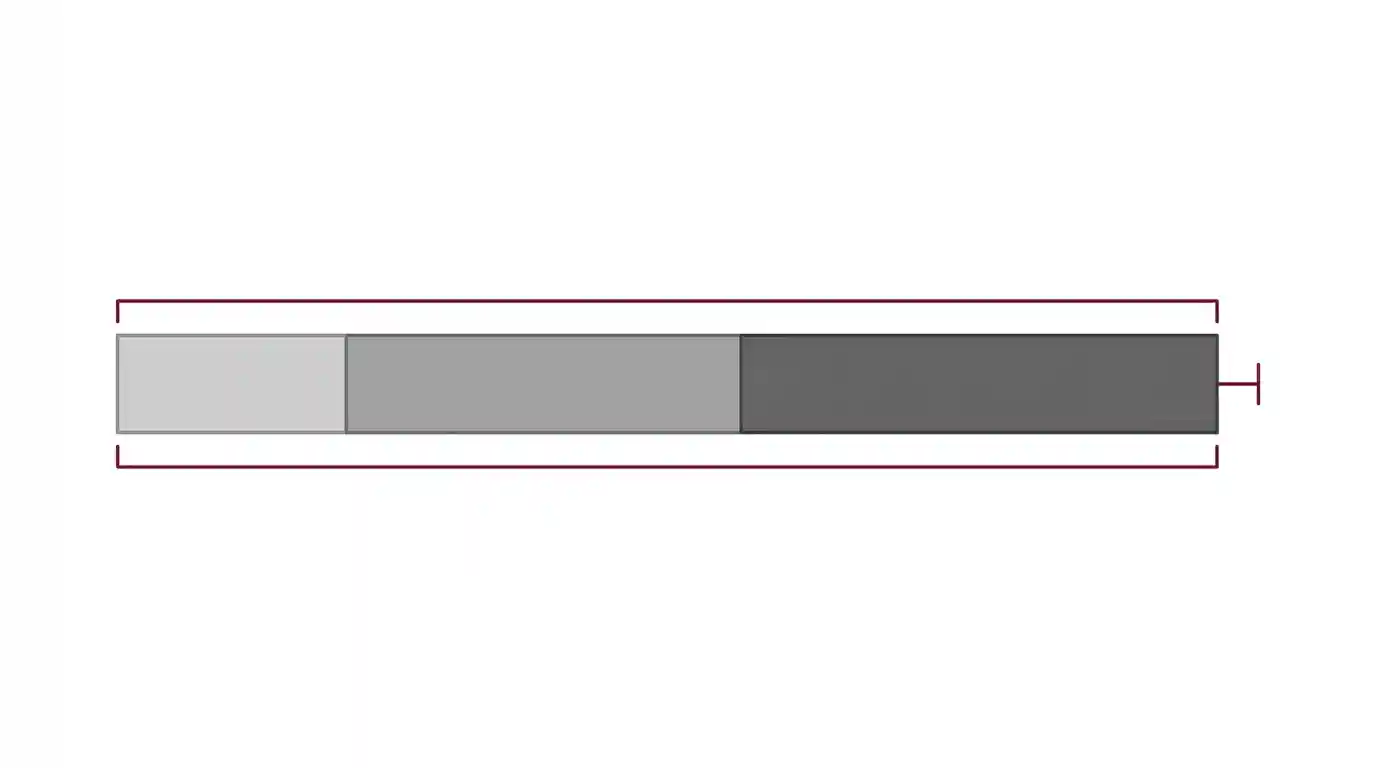
Standard Ethernet cabling, including PoE, is specified for a maximum link length of 100 metres, measured including patch cables at both ends — not just the horizontal run. This is an IEEE cabling limit, not a SIRA-specific rule, but it interacts directly with SIRA’s CAT6-minimum requirement: the cable quality mandated for compliance is the same cable that has to carry both data and power that full distance.
For cameras beyond 100 metres from the nearest switch — common on large sites, warehouses and perimeters — the options are a fibre uplink to a secondary switch closer to the camera, or a PoE extender, rather than simply running a longer copper cable, which will not reliably deliver power at that distance. Magnus supplies fibre optic solutions for exactly this scenario.
Redundancy and the dedicated-network rule
SIRA requires the network backbone to avoid single points of failure, with a secondary backup line ready to take over on interruption. In practice this shapes the switch topology, not just the cabling.
Dual uplinks
Access switches connect to the core over two physical paths rather than one, so a single cut cable doesn’t isolate a segment of cameras.
Ring or loop topology
Common on larger surveillance networks specifically because it survives a single break point without manual re-patching.
UPS on every switch
SIRA’s 30-minute UPS rule applies to recording devices; extending the same backup to the switch layer keeps cameras online, not just the recorder, during a power interruption.
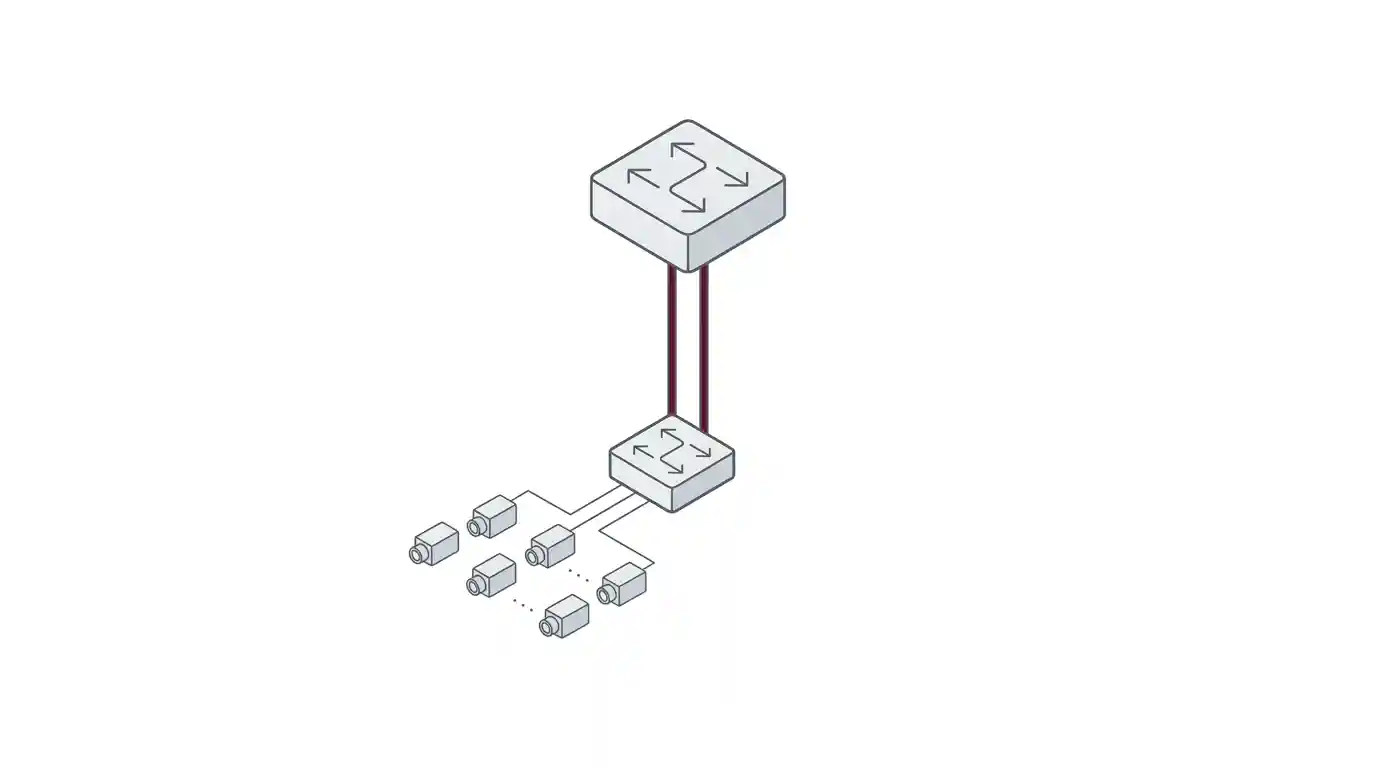
A separate, physically distinct switch stack for surveillance — rather than shared VLANs on the office network — is normally the simplest way to satisfy the dedicated-network rule without needing the firewall-plus-approval exception. D-Link managed switching gives that separation with the segmentation and monitoring the 200-device threshold requires.
Common PoE switch sizing mistakes
- Sizing to port count only. A switch can have enough free ports and still run out of PoE wattage before every camera powers on.
- Assuming standard PoE covers every camera. PTZ, heated housings and multi-sensor cameras usually need PoE+ or PoE++, at a materially different budget.
- Running copper past 100 metres. The camera may appear to link at a lower distance but fail to power reliably, especially at higher PoE classes where cable loss is greater.
- Sharing the office switch stack. Triggers SIRA’s firewall-and-approval exception unnecessarily when separate switching is usually simpler.
- Single-homing the backbone. One uplink path contradicts the redundant-backbone requirement even if every other box is checked.
- Forgetting the 200-device threshold. Cameras, recorders and access points all count — a site can cross it faster than expected once every device type is added up.
Planning a SIRA-compliant switch layer
Finalise the camera schedule and PoE class per camera
Fixed, PTZ and heated-housing cameras need different classes — confirm each model’s actual draw from its datasheet.
Total the wattage budget and apply headroom
Sum draw by class, then size the switch PoE budget at least 20% above the total.
Map cable runs against the 100-metre limit
Any camera beyond that distance needs a fibre uplink or extender in the design, not a longer copper run.
Design for a dedicated, physically separate network
Avoids the firewall-and-written-approval exception that shared VLANs would trigger.
Build backbone redundancy in from the start
Dual uplinks or a ring topology, not a single path added as an afterthought.
Check the 200-device segmentation threshold
Count cameras, recorders and access points together, and plan a network management system if the total is close.
Size UPS runtime across the switch layer
30 minutes minimum on recording devices per SIRA; extending this to switches keeps cameras live through the same outage.
Frequently asked questions
Does SIRA specify which PoE standard to use?
No. The Preventive Systems Manual sets network requirements — a dedicated network, CAT6 minimum, redundancy, segmentation above 200 devices — but does not mandate a PoE class. The right standard depends on the camera, not the regulation.
Can I connect CCTV to my existing office switches?
Only with a firewall in place and prior written SIRA approval, since the Manual requires the surveillance network to be dedicated and not form part of an external network. In most projects, separate switching is simpler than pursuing that exception.
How far can a PoE camera be from the switch?
100 metres maximum under standard Ethernet cabling rules, measured including patch cables at both ends. Beyond that distance, use a fibre uplink to a switch closer to the camera or a PoE extender rather than a longer copper run.
What PoE class do PTZ cameras need?
Usually PoE+ (802.3at) at minimum, and PoE++ Type 3 for models with heating elements for Dubai’s summer conditions or multiple sensors. Standard PoE (802.3af) is typically insufficient for PTZ movement and heating combined.
When do I need to segment the camera network?
SIRA requires segmentation, with a network management system, once connected devices exceed 200. Count cameras, recorders and any networked access-control or ANPR devices together when checking against this threshold.
Does the switch need to be on UPS as well as the recorder?
SIRA's 30-minute UPS requirement is stated for recording devices. Extending UPS coverage to the switch layer is a Magnus reliability recommendation, not a separate SIRA mandate — without it, cameras can lose power during an outage even if the recorder stays running.
Sizing your switch layer against a real schedule
PoE wattage, port count, cable distance and SIRA's network rules all have to be satisfied together, not checked one at a time after the fact. Getting the switch budget wrong after cabling is installed means a costly re-pull.
Magnus supplies D-Link managed PoE switching and Premium-Line structured cabling across our networking and wireless solutions range. Send us your camera schedule with PoE classes and cable run distances, and our pre-sales team will size the switch layer against it.
Get a quoteSource
Network requirements are taken from Administrative Resolution No. (13) of 2025 Approving the Preventive Systems Manual, Security Industry Regulatory Agency, Government of Dubai, issued 14 April 2025, confirmed current with no published amendment as of August 2026. PoE wattage figures (802.3af/at/bt) are IEEE standard values, cross-checked across independent industry technical sources; they are general engineering reference figures, not SIRA specifications, and actual camera draw should always be confirmed against the specific model's datasheet. The 100-metre cable limit is a standard Ethernet/PoE cabling specification. Where the English translation of the Manual conflicts with the Arabic text, the Arabic prevails.
This guide is provided for general information and is not legal advice.