


Networking & Wireless · Structured Cabling
How Long Can an Ethernet Cable Be? Essential 100m Guide
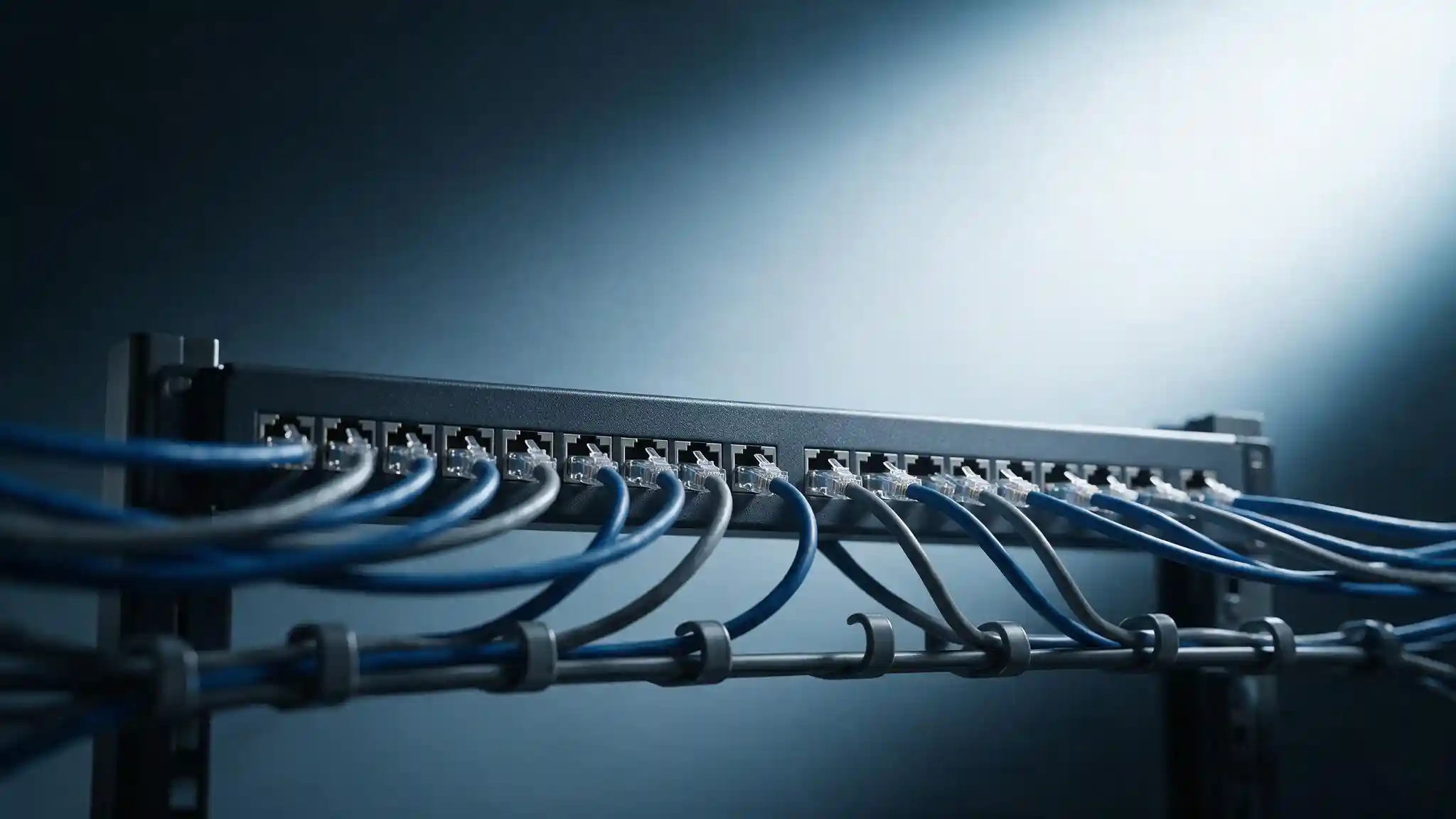
How long can an Ethernet cable be? 100 metres — but that figure is a total channel budget, not a length of cable you can order. Under ANSI/TIA-568 it breaks down as 90 metres of fixed horizontal cabling plus 10 metres of patch cords combined at both ends. Exceed it and the link no longer meets specification, regardless of whether it appears to work on day one.
Key takeaways
- 100 metres is a channel budget, not a cable length. It covers everything between the switch port and the device, including both patch cords.
- The split is 90 + 10. Up to 90 m of solid horizontal cable, plus a combined 10 m of stranded patch cord at both ends together.
- Stranded patch cable attenuates faster than solid cable. Going over 10 m of patch cord reduces the horizontal length you are allowed.
- Cat6 does not carry 10 Gigabit to 100 m. The figure is 55 m in a favourable alien crosstalk environment and 37 m in a hostile one. Cat6A carries 10G the full 100 m.
- Cat8 is limited to 30 m and is a data-centre switch-to-server cable, not horizontal cabling.
- Beyond 100 m, the answer is fibre or an intermediate switch — not a longer copper cable.
How long can an Ethernet cable be? The 100-metre rule
The short answer is 100 metres, or about 328 feet. The useful answer is what that 100 metres actually contains.
Under the ANSI/TIA-568 standard, 100 metres describes a channel — the complete signal path from the switch port to the connected device. It is a total budget covering every component in that path, not a permitted length for the cable in the wall.
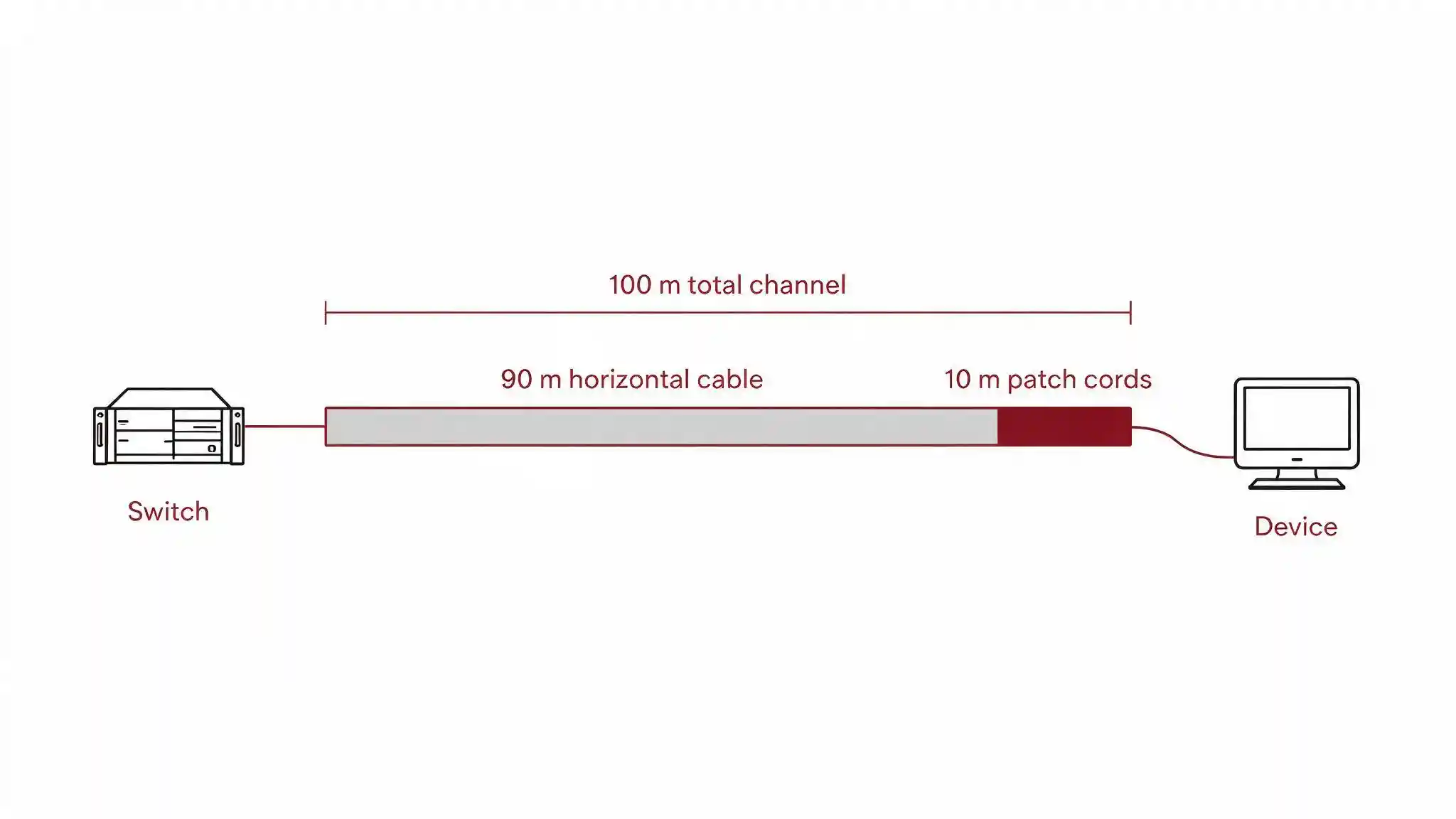
The distinction matters commercially because it is routinely missed at design stage. A 95-metre horizontal run is already out of specification before anyone has plugged in a single patch cord. Equally, a generous 5-metre patch cord at each end leaves you 90 metres of horizontal budget exactly — with nothing spare for the slack, service loops and routing detours that every real installation accumulates.
Channel vs permanent link: the distinction that matters
Two different measurements get used on cabling projects, and specifying the wrong one causes arguments at handover.
| Measurement | Length | What it covers | When it is used |
|---|---|---|---|
| Permanent link | 90 m | Fixed horizontal cable and its terminations only — no patch cords | What the installer certifies with a field tester |
| Channel | 100 m | The full path including patch cords at both ends | What the network actually runs over |
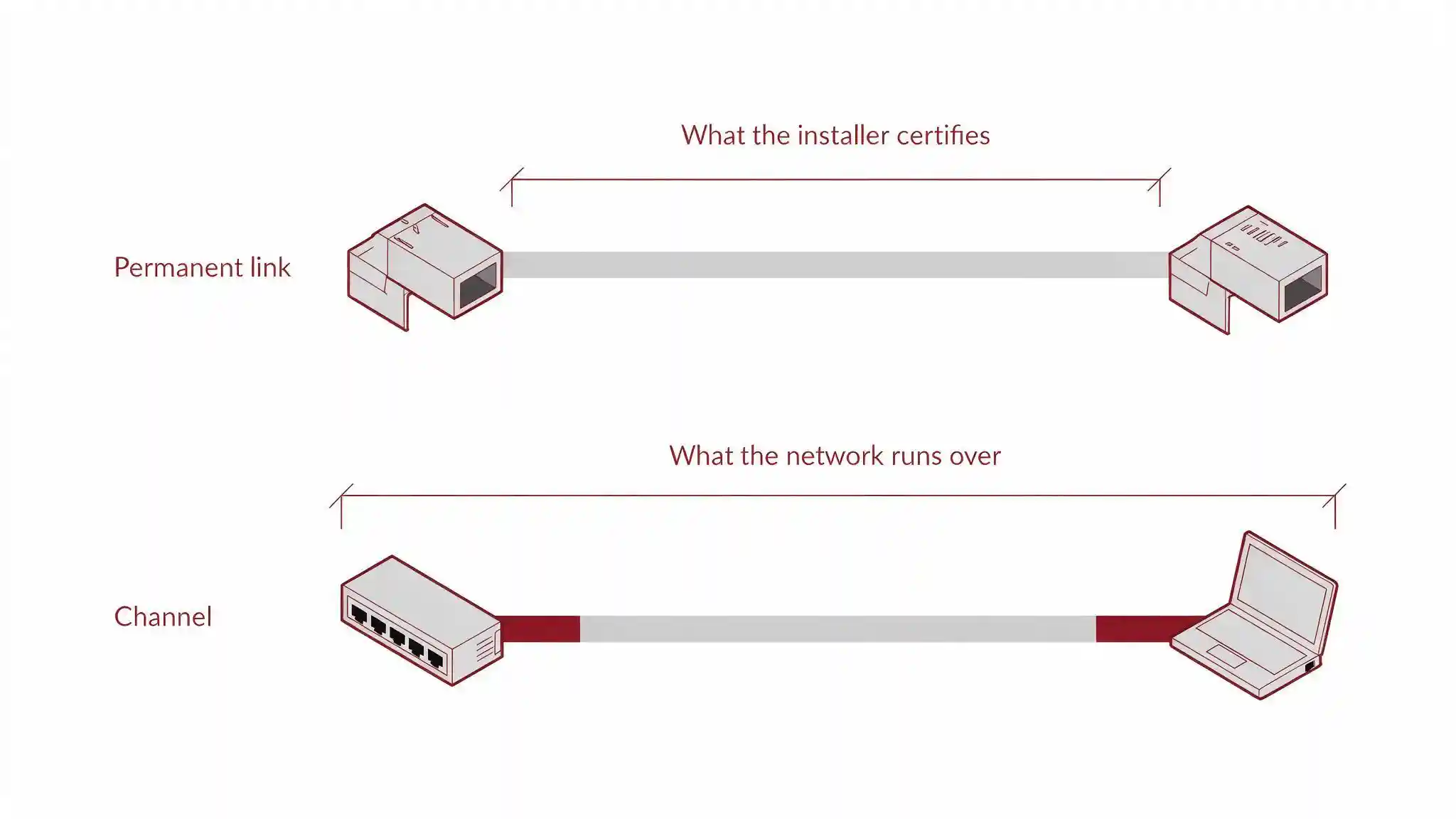
Permanent link limits are tighter, because they exclude the patch cord allowance. If a specification says “certified to permanent link,” the installed horizontal cable must come in under 90 metres on its own. Confirm which measurement a project specification requires before cable is pulled, not after it is tested.
Why 100 metres, and not more
The limit is not arbitrary, and it is not a conservative manufacturer recommendation. It exists because three separate electrical effects accumulate with distance:
Attenuation
Signal strength falls as it travels along the copper. Past a certain distance the receiver can no longer reliably distinguish the signal from background noise.
Crosstalk
Signals in adjacent wire pairs interfere with each other. The longer the parallel run, the more interference accumulates between pairs.
Return loss
Impedance mismatches reflect part of the signal back toward the transmitter, and those reflections compound over distance.
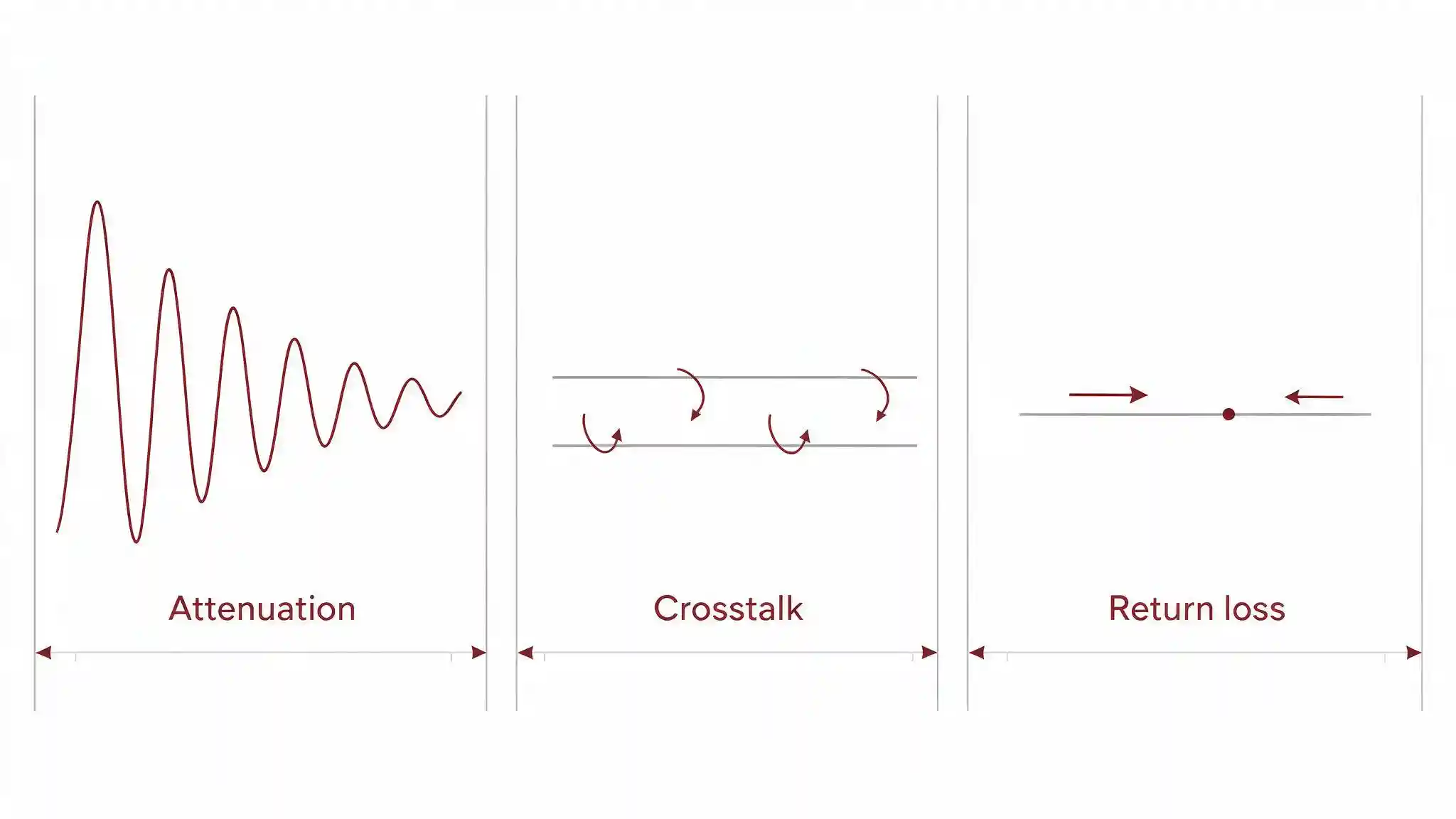
100 metres is the point at which the standard guarantees these remain within tolerance across a compliant channel. Beyond it, the link may still pass traffic on the day it is installed — then fail intermittently under temperature change, added bundle density, or higher-speed equipment later. That is the expensive failure mode, because it appears months after handover and is difficult to trace.
Distance limits by cable category
| Category | Bandwidth | 1 Gigabit | 10 Gigabit | Notes |
|---|---|---|---|---|
| Cat5e | 100 MHz | 100 m | Not supported | Legacy; adequate for 1G only |
| Cat6 | 250 MHz | 100 m | 55 m / 37 m | 10G distance depends on alien crosstalk — see below |
| Cat6A | 500 MHz | 100 m | 100 m | Full 10G at full distance; the modern baseline |
| Cat7 | 600 MHz | 100 m | 100 m | ISO/IEC category, not TIA-recognised |
| Cat8 | 2000 MHz | 30 m | 30 m | Data-centre switch-to-server only; supports 25G/40G |
Two entries deserve explanation. Cat7 is not a TIA category — it exists in ISO/IEC 11801 and should not appear in a TIA-568 specification. Our Cat6, Cat7 and Cat8 buying guide covers where each fits. And Cat8's 30-metre limit is not a shortcoming — it is designed for short, high-bandwidth runs inside data-centre racks, not for horizontal cabling to workstations.
The 10-Gigabit distance trap
This is the single most commonly misstated figure in Ethernet cabling, and it matters if any part of your network will carry 10 Gigabit now or later.
Cat6 carries 1 Gigabit to the full 100 metres without difficulty. At 10 Gigabit, the picture changes because 10GBASE-T signals out to roughly 400 MHz while Cat6 is only characterised to 250 MHz. The limiting factor becomes alien crosstalk — interference between separate cables bundled together, rather than between pairs inside one cable.
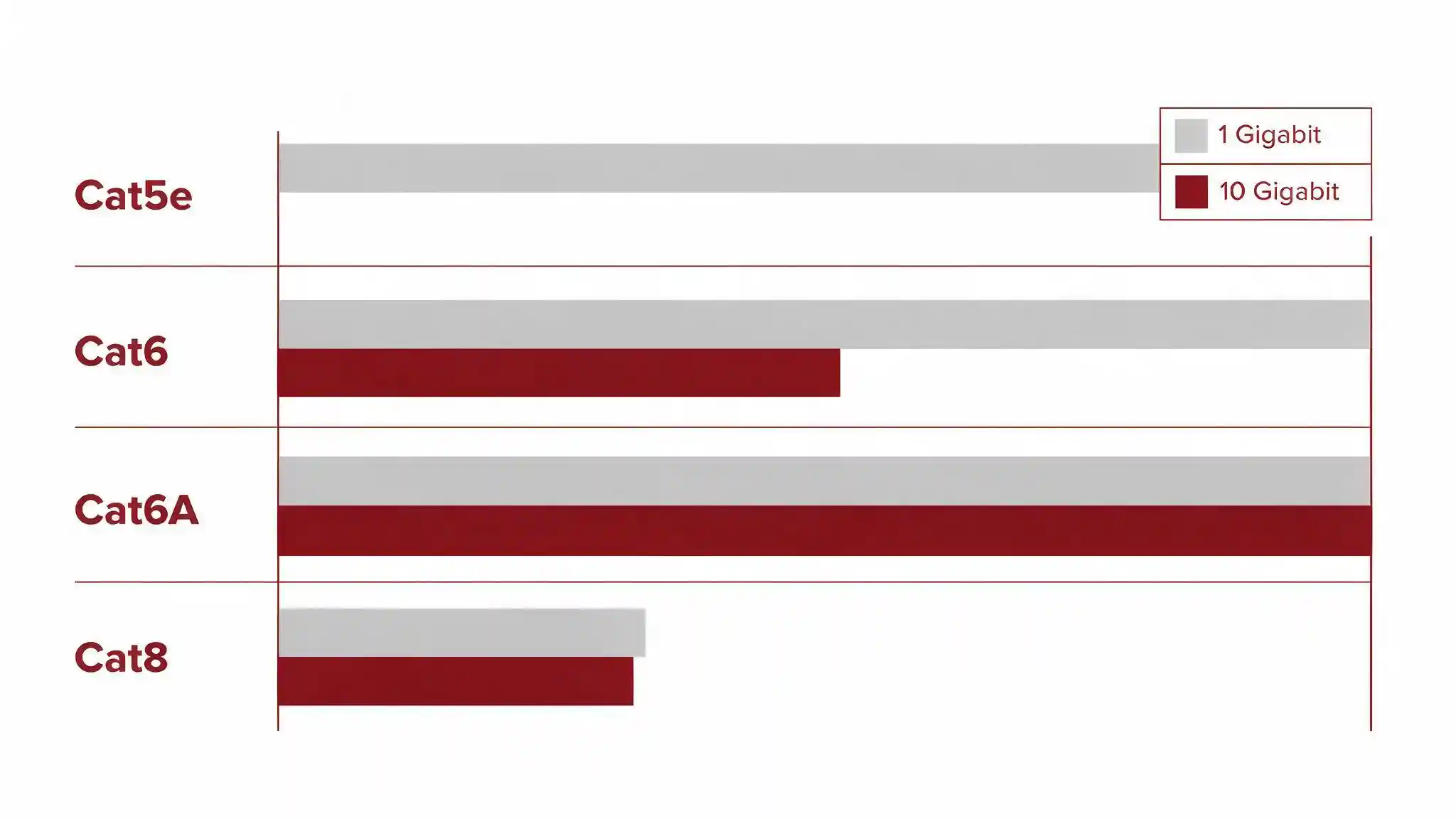
Per TIA TSB-155-A, Cat6 supports 10GBASE-T to 55 metres in a favourable alien crosstalk environment, and only 37 metres in a hostile one — a densely bundled tray with many parallel cables being the hostile case. Because bundle conditions are difficult to predict before installation, any Cat6 channel intended for 10G should be electrically tested once installed.
Cat6A removes the problem. With tighter twist rates, larger conductor geometry and optional shielding, it carries 10GBASE-T across the full 100-metre channel with no distance derating and no conditional testing requirement. For any commercial installation expected to carry 10 Gigabit to endpoints within its service life, that is the practical reason to specify Cat6A over Cat6 — not raw bandwidth on a spec sheet.
What to do when a run exceeds 100 metres
Large sites, warehouses, perimeters and multi-building campuses routinely need runs past 100 metres. The answer is never a longer copper cable.
Fibre optic backbone
The standard solution for anything substantially beyond 100 m. Multimode carries several hundred metres, singlemode considerably further, with immunity to the electromagnetic interference that affects copper. Our fibre optic solutions cover the options.
Intermediate switch
Place a switch closer to the far devices and run fibre back to the core. This resets the 100-metre copper budget from the new switch position and is often simpler than a single long run.
Media converters or SFP uplinks
Convert copper to fibre for the long section and back again at the far end. Our guide to SFP ports explains how these uplinks work on managed switches.
Ethernet extenders
Purpose-built devices that push Ethernet further over copper at reduced speed. A pragmatic option for a single legacy device, not an architecture for a new installation.
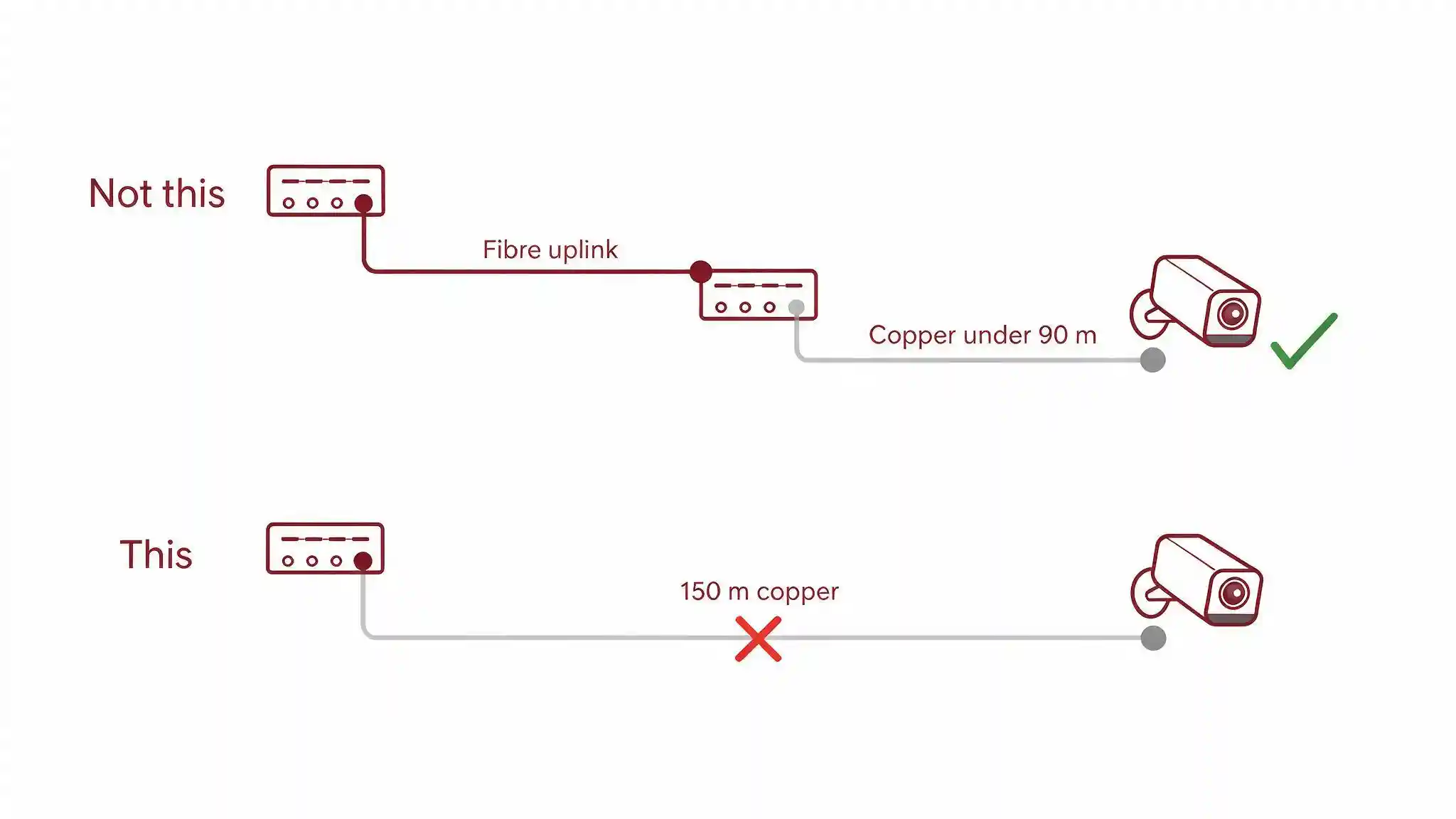
One thing to be clear about: an unmanaged switch or repeater dropped mid-run to “extend” the cable does technically reset the distance budget, but it also adds an unmanaged, unmonitored, often unpowered-by-UPS point of failure in the middle of a cable route. On a commercial installation that is rarely the right answer.
Common distance mistakes
- Treating 100 m as the horizontal cable length. It is the whole channel. The horizontal limit is 90 m.
- Ignoring the patch cord budget. Two 8-metre patch cords consume 16 m and put a compliant 90 m horizontal run out of specification.
- Measuring straight-line distance. Cable follows routes, trays and service loops — actual pulled length is always longer than the distance across a floor plan.
- Assuming Cat6 does 10G at 100 m. It does not. 55 m favourable, 37 m hostile.
- Using Cat8 for horizontal runs. 30 m maximum — it is a rack cable, not a building cable.
- Exceeding 10 m of patch cord because stranded cable is convenient. Stranded attenuates faster than solid, which is exactly why the budget is only 10 m.
Frequently asked questions
What happens if an Ethernet cable is longer than 100 metres?
The channel no longer meets ANSI/TIA-568 specification. It may still pass traffic initially, but attenuation, crosstalk and return loss have accumulated beyond guaranteed tolerance, so the link becomes prone to intermittent packet loss, reduced speed negotiation, or failure under temperature change or higher-speed equipment later.
Does the 100-metre limit include patch cables?
Yes. The 100 metres is a total channel budget covering the whole path from switch port to device: up to 90 metres of solid horizontal cable plus a combined 10 metres of stranded patch cord across both ends. Exceeding the patch cord allowance reduces the horizontal length permitted.
Can Cat6 run 10 Gigabit over 100 metres?
No. Per TIA TSB-155-A, Cat6 supports 10GBASE-T to 55 metres in a favourable alien crosstalk environment and only 37 metres in a hostile one, such as a densely bundled cable tray. Cat6A carries 10 Gigabit across the full 100-metre channel without derating.
Why is Cat8 limited to 30 metres?
Cat8 operates at up to 2000 MHz to carry 25 and 40 Gigabit, and those frequencies attenuate rapidly over copper. It is designed for short switch-to-server connections inside data-centre racks rather than horizontal cabling to workstations.
Does PoE change the maximum distance?
The 100-metre channel limit applies to PoE as well. Power delivery becomes less reliable toward the limit, particularly at higher PoE classes where cable loss is greater, so cameras and access points near the maximum distance warrant checking the power budget as well as the data link.
Can I use a switch to extend a cable run past 100 metres?
Technically yes — a switch resets the distance budget from its position. But an unmanaged switch mid-route adds an unmonitored point of failure, often without UPS backing. For commercial installations, a fibre uplink to a properly located intermediate switch is the sounder design.
Is the limit different for solid and stranded cable?
Yes, and that is why the budget splits 90/10. Stranded patch cable attenuates faster than solid horizontal cable, so only 10 metres of it is permitted across both ends combined. Using longer patch cords reduces the horizontal cable length you are allowed.
Getting cable distances right before installation
Distance problems are cheap to fix on a drawing and expensive to fix after cable is pulled. The decisions that matter — category selection, where switches sit, where copper gives way to fibre — all happen at design stage.
Magnus supplies Premium-Line solid copper Cat6 and Cat6A structured cabling, D-Link managed switching, and fibre infrastructure across our networking and wireless solutions range. Send us your run sheet with distances and our pre-sales team will review it against TIA-568 channel limits before anything is ordered.
Get a quoteSource
Channel and permanent link distances follow the ANSI/TIA-568 series structured cabling standard. The 10GBASE-T distance figures for Category 6 (55 m favourable, 37 m hostile alien crosstalk environment) are guideline values from TIA TSB-155-A rather than guarantees, and any Cat6 channel intended for 10 Gigabit should be electrically tested after installation. Category 7 is specified under ISO/IEC 11801 and is not a TIA-recognised category. Figures cross-checked against independent structured-cabling technical sources and manufacturer channel specifications. Actual performance depends on installation quality, bundle density, termination and environmental conditions.