


Cybersecurity · Network Security
Firewall Sizing: 4 Essential Numbers for UAE Businesses
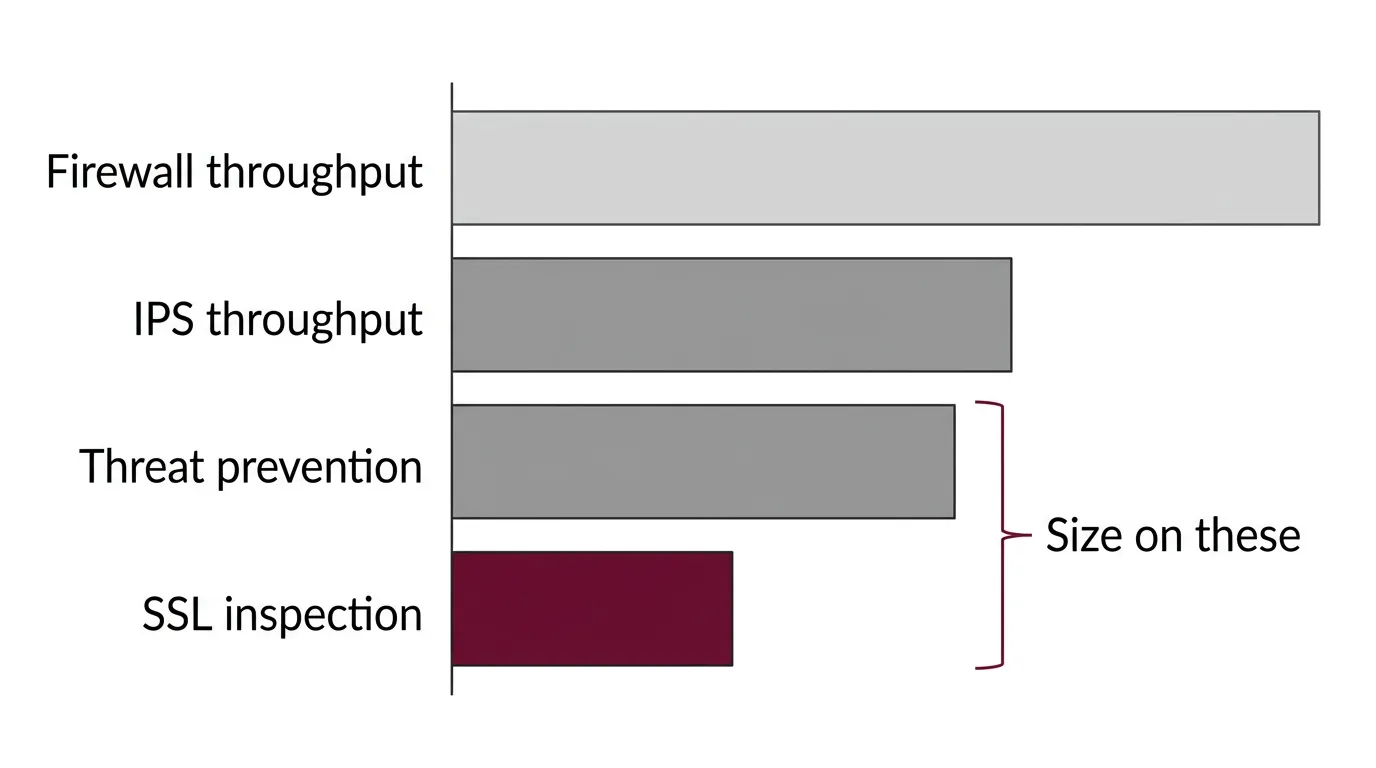
Firewall sizing goes wrong for one reason above all others: the headline throughput figure on a datasheet is measured with the security features switched off. Size against that number and you buy an appliance that performs as advertised only in a configuration you would never deploy. The figure that matters is threat prevention throughput, and it is usually a fraction of the one on the front page.
Key takeaways
- Size on threat prevention throughput, not firewall throughput. The headline number assumes no IPS, no inspection and minimal logging.
- Real-world performance can be around half the advertised figure once the full security stack is running.
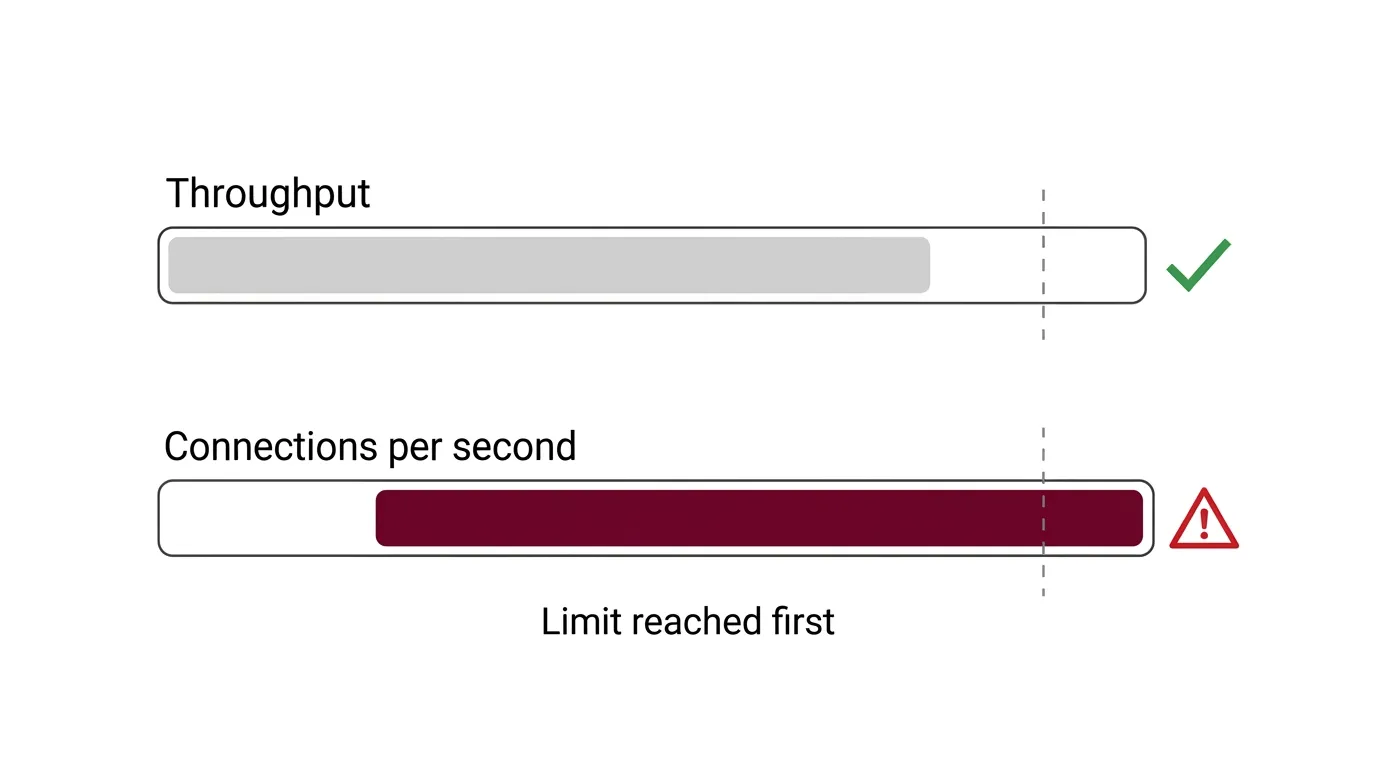
- Connections per second is frequently the limit you hit first, not bandwidth — particularly in SaaS-heavy offices.
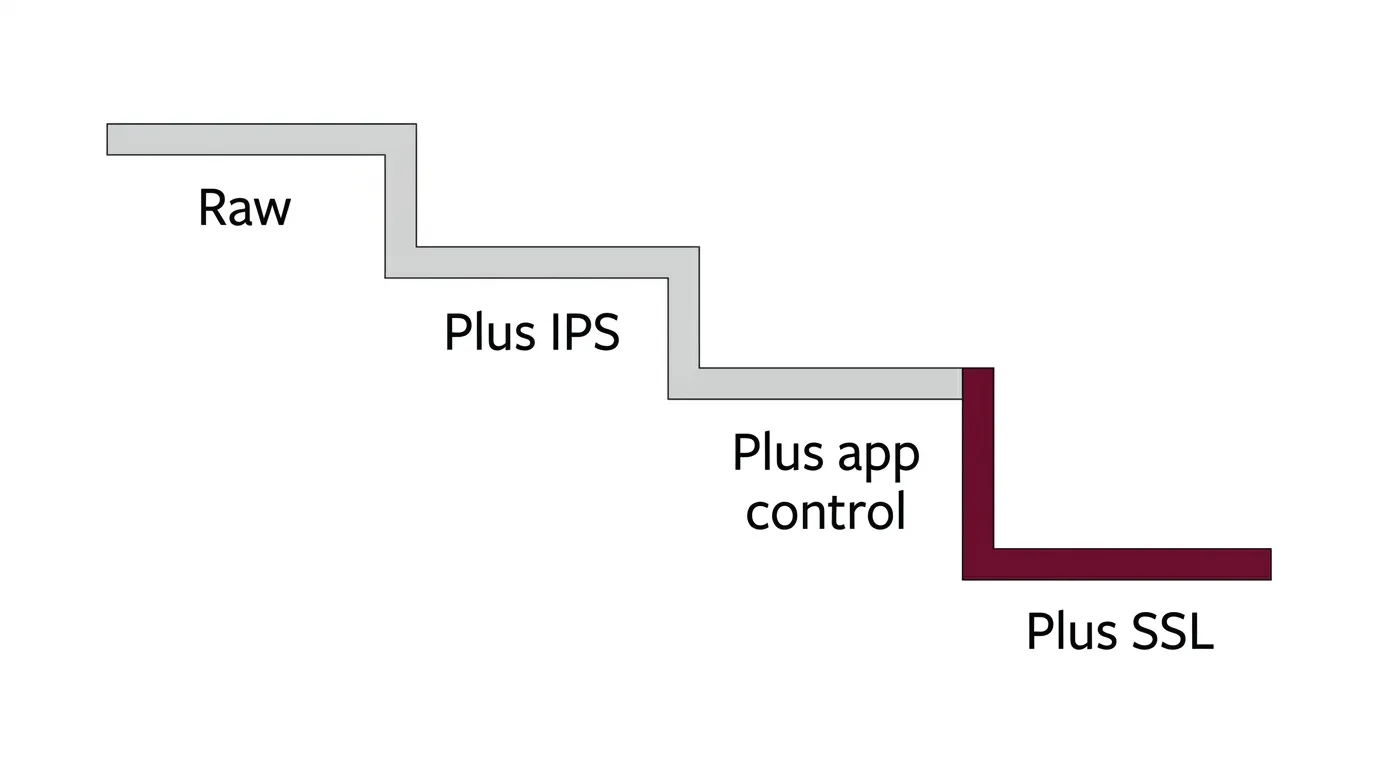
- SSL inspection is the single largest performance cost. Plan for it explicitly, or discover it during rollout.
- Measure your own traffic at several points in the day rather than relying on an ISP link speed.
- Add 30–50% headroom over measured peak, and size for a single appliance carrying the load after a failover.
The datasheet problem
Open any firewall datasheet and the largest number on the page is the one measured under the most favourable conditions possible: large packet sizes, no intrusion prevention, no application control, no malware scanning, no SSL decryption, minimal logging.
That figure is not dishonest — it measures raw packet-forwarding capability and it is comparable between models. It is simply not the number that describes how the appliance will behave in your building, because nobody deploys a firewall with its security features switched off.
Most datasheets publish several throughput values. The gap between the top one and the realistic one is where sizing mistakes live.
| Figure | What it measures | Use it for |
|---|---|---|
| Firewall throughput | Raw forwarding, security services off | Comparing raw platform capability only |
| Threat prevention throughput | IPS, application control and malware scanning active | Sizing |
| IPS throughput | Intrusion prevention only | Partial picture; rarely how you deploy |
| SSL / TLS inspection throughput | Performance while decrypting encrypted traffic | Sizing, if you inspect encrypted traffic |
| VPN throughput | Encrypted tunnel capacity | Sizing, if you run site-to-site or remote access VPN |
Published guidance is consistent on this point: threat prevention throughput should be the base for sizing, and where encrypted traffic is decrypted inline, the SSL inspection figure becomes the governing constraint instead.
The four firewall sizing numbers that matter
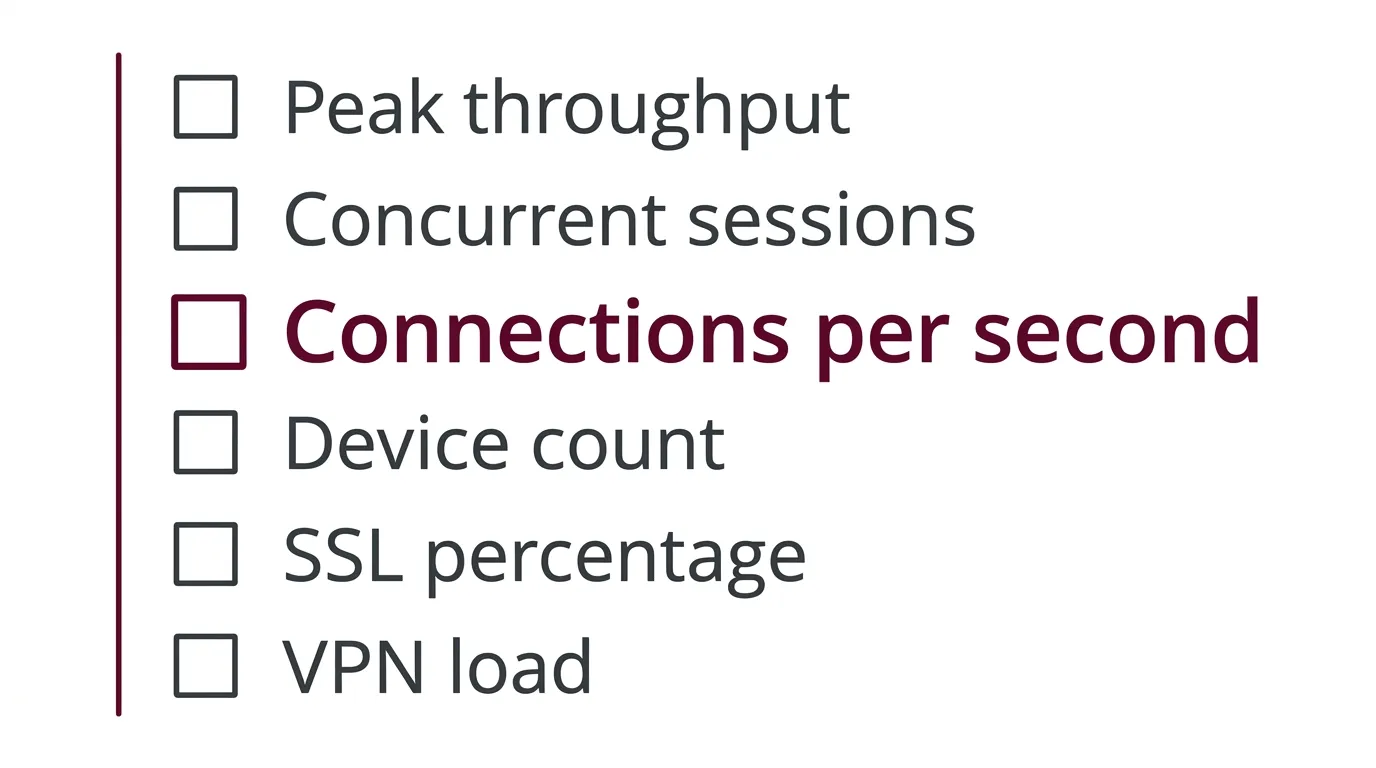
Firewall sizing is a four-variable problem. Getting one right and the others wrong still produces the wrong appliance.
Throughput
How much traffic the appliance can process with your security services running. Measured against peak, not average, and against the inspected figure rather than the headline one.
Concurrent sessions
How many conversations the appliance holds open simultaneously. This is a memory constraint, and it scales with device count rather than bandwidth.
New connections per second
How fast the appliance can establish new sessions. The number most often overlooked, and frequently the first ceiling a modern office hits.
Inspection capacity
What happens when SSL decryption is enabled. Usually the steepest single drop in the whole sizing exercise.
Which throughput figure to use
The rule is straightforward. Size on threat prevention throughput — the figure measured with intrusion prevention, application control and malware scanning active — because that is the configuration you will actually run.
If you intend to decrypt and inspect encrypted traffic, the SSL inspection figure supersedes it. Encrypted traffic now dominates ordinary business browsing, so for most organisations inspecting it is the whole point of buying a next-generation appliance rather than a packet filter.
One useful framing: "basic firewall plus antivirus" is not a real deployment mode. If you are buying an NGFW, you are buying it for the security services, and sizing should assume they are all on. Our guide to next-generation firewalls covers what those services actually do.
Worth noting for anyone subject to UAE regulatory obligations: frameworks such as the Information Assurance Standard expect intrusion prevention, logging and monitoring to be operating. Those are precisely the features that consume throughput, so a compliance obligation and a sizing decision are the same conversation. Our guide to NESA compliance covers the control side.
Why CPS is often the real bottleneck
This is the part that surprises people, and it is worth understanding before you buy.
Throughput is about volume. Connections per second is about frequency — how many new sessions the appliance can set up each second. A modern office generates enormous numbers of short-lived connections: every SaaS application, every web portal, every API call, every page element loading from a different host.
The consequence is that an office can sit comfortably inside its throughput budget while running out of connection-establishment capacity. Practitioners report exactly this pattern: with antivirus and HTTPS inspection running for many users, the connections-per-second ceiling arrives before the bandwidth ceiling does.
Concurrent sessions is the related but distinct constraint — how many conversations stay open at once. It scales with the number of devices rather than the speed of the link, which is why device-dense environments need attention here even when bandwidth is modest.
SSL inspection: the largest single cost
Decrypting, inspecting and re-encrypting traffic is computationally expensive, and it produces the steepest performance drop of any feature you can enable.
Two practical consequences follow.
Decide the inspection percentage before sizing. Few organisations decrypt everything — some categories are excluded for privacy, legal or application-compatibility reasons. The proportion of traffic you actually decrypt is a sizing input, not a detail to settle later.
Plan the rollout, not just the purchase. Published guidance recommends deploying SSL inspection with reserve capacity, starting with a pilot group, and expanding deliberately. Switching it on across an entire organisation at once, on an appliance sized without it, is a reliable way to generate an outage.
If SSL inspection is on the roadmap but not in the first phase, size for it now. The alternative is replacing the appliance when phase two arrives.
Measuring your own environment
Firewall sizing inputs should come from your own network, not from an assumption about your ISP link speed.
Record peak throughput, not average
Averages hide the moment that matters. Capture the busiest period, and remember that the relevant figure is what crosses the firewall, not what the ISP sells you.
Sample at several points in the day
Published sizing guidance suggests checking connection counts and connections per second at multiple times — mid-morning, early afternoon and late afternoon are useful — then comparing against datasheet figures.
Count devices, not just users
Concurrent sessions track devices. Phones, laptops, access points, cameras, printers and IoT endpoints all hold connections open.
Profile the applications
SaaS-heavy environments generate frequent encrypted sessions. Real-time traffic such as voice and video is latency-sensitive. Legacy applications on non-standard ports need flexible inspection handling.
Establish the encrypted proportion
How much of that traffic is encrypted, and how much of it you intend to decrypt. This drives the SSL sizing input directly.
Add the VPN load
Site-to-site tunnels between offices and remote access users consume separate capacity. Multi-emirate operations should treat this as a first-class input, not an afterthought.
Headroom, growth and high availability
Three adjustments turn a measurement into a firewall sizing specification.
Headroom. A commonly published rule of thumb is to specify 30–50% above current requirement — so an environment measuring 500 Mbps today points toward an appliance rated for roughly 750 Mbps to 1 Gbps with all features enabled. Treat that as a planning heuristic rather than a vendor guarantee.
Growth. Firewalls are typically replaced on a multi-year cycle. Headcount, bandwidth and cloud adoption all move in one direction. Sizing to today's peak means buying an appliance that is already marginal.
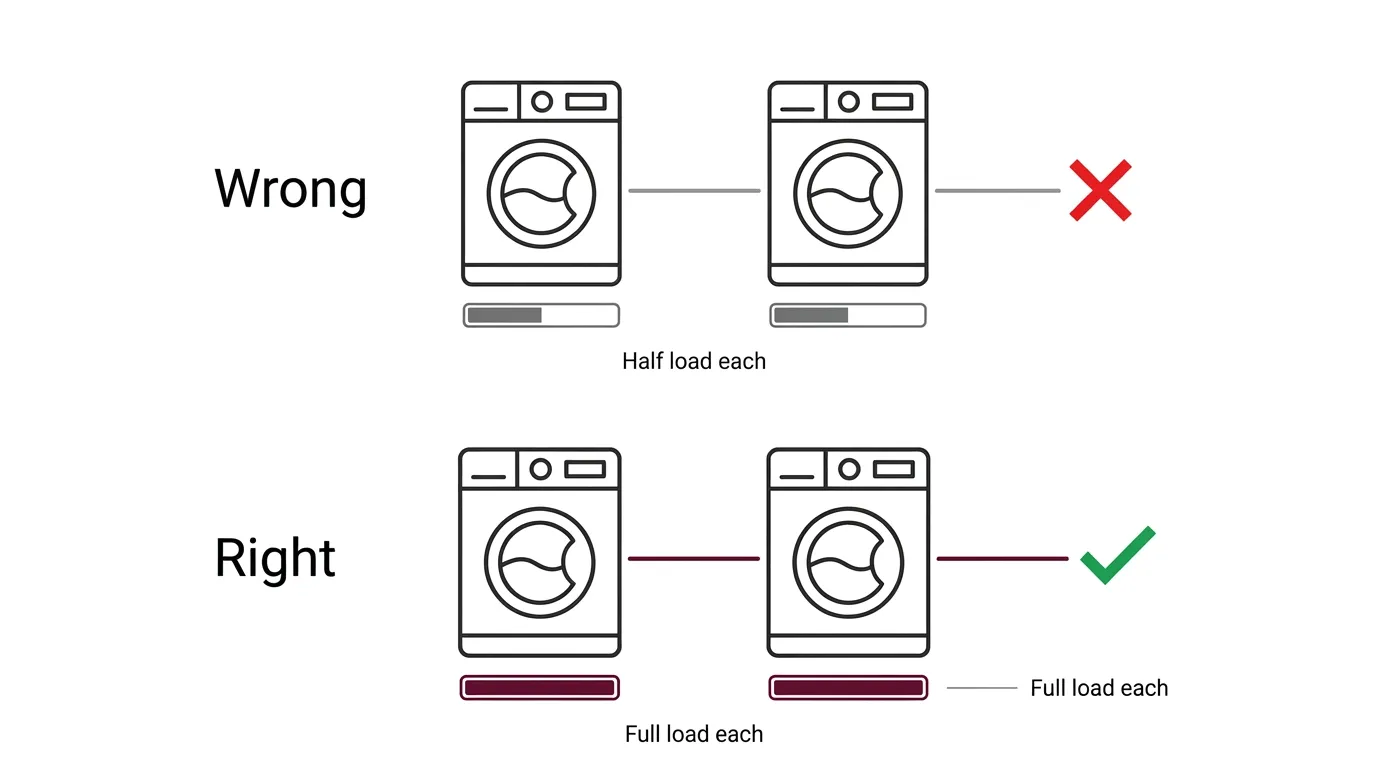
High availability. If you deploy an HA pair, size so that one appliance can carry the full load. An HA pair where each unit is sized for half the traffic provides redundancy in name only — the failover event is precisely when full capacity is needed. Performance after failover is worth testing rather than assuming.
Common firewall sizing mistakes
- Sizing on the headline throughput figure. It is measured with the security features off. Use threat prevention throughput.
- Sizing on ISP link speed. What matters is what crosses the firewall, including internal segment-to-segment traffic.
- Ignoring connections per second. Frequently the first ceiling reached, and rarely the number anyone checks.
- Treating SSL inspection as a later decision. It is the largest single performance cost and belongs in the original calculation.
- Sizing each HA unit for half the load. Redundancy that fails at the moment it is needed.
- Using average rather than peak. The appliance has to survive the busy hour, not the mean.
- Forgetting logging. Verbose logging consumes resources, and compliance obligations tend to require it.
Frequently asked questions
Which throughput figure should I size a firewall on?
Threat prevention throughput — the figure measured with intrusion prevention, application control and malware scanning active. The headline firewall throughput number is measured with security services disabled and describes a configuration nobody deploys. If you intend to decrypt encrypted traffic, the SSL inspection figure governs instead.
How much lower is real-world firewall performance than the datasheet?
It depends on which services are enabled, traffic mix and packet sizes, but published guidance indicates real-world performance can be around half the advertised figure once the full security stack is running. SSL inspection produces the steepest single drop. This is why the inspected figure, not the headline one, should drive sizing.
What is CPS and why does it matter?
Connections per second — how fast the firewall can establish new sessions. It matters because modern offices generate huge numbers of short-lived connections through SaaS applications, web portals and API calls. An environment can sit well within its throughput budget and still exhaust connection-establishment capacity, which is a bottleneck most buyers never check.
Do I need to size for SSL inspection if I am not using it yet?
If it is on the roadmap, yes. SSL inspection is the largest single performance cost, and enabling it later on an appliance sized without it typically means replacing the appliance. Sizing for it now is cheaper than a mid-cycle upgrade, and it should be rolled out with a pilot group rather than switched on organisation-wide at once.
How much headroom should I add?
A commonly published rule of thumb is 30 to 50 per cent above the current measured requirement, so an environment measuring 500 Mbps points toward an appliance rated around 750 Mbps to 1 Gbps with all features enabled. Treat it as a planning heuristic, then validate against the specific model's performance data.
How should I size firewalls in a high availability pair?
Size so that a single appliance can carry the entire load. If each unit is sized for half the traffic, the pair provides redundancy in name only, because failover is exactly the moment full capacity is required. Performance after failover should be tested rather than assumed, since behaviour can differ from steady state.
Can I size a firewall from my internet connection speed?
Not reliably. The relevant measurement is what crosses the firewall, which may include traffic between internal segments as well as internet-bound traffic. Measure peak throughput at the firewall itself, along with concurrent sessions and connections per second at several points in the day.
Does compliance affect firewall sizing?
Yes, directly. Frameworks applicable in the UAE expect intrusion prevention, logging and monitoring to be operating, and those are the features that consume throughput. An organisation with a compliance obligation cannot size against the headline figure, because it cannot deploy in the configuration that figure describes.
Sizing against your actual traffic
The method here gets you to a defensible requirement. Matching that requirement to a specific model means reading current vendor performance data for the inspected figures — and those change between hardware generations, which is why this guide does not quote them.
Magnus distributes network security including SonicWall and Cisco firewalls across our cybersecurity solutions range. Send us your measured peak throughput, session counts, user and device numbers and your SSL inspection intent, and our pre-sales team will size against current datasheets rather than headline figures.
Get a quoteSource and limitations
The distinction between raw firewall throughput and threat prevention throughput, the four sizing metrics, and the guidance to size on the inspected figure are consistent across independent firewall vendor and integrator technical documentation, cross-checked across multiple sources including vendor-specific sizing guidance and practitioner community reporting. The 30–50% headroom figure and the illustrative 500 Mbps example are a published industry rule of thumb, not a vendor specification.
Stated limitations. This article quotes no vendor model numbers and no specific throughput figures, because those change between hardware generations and firmware releases and an out-of-date figure would be actively misleading on a sizing page. Actual performance depends on traffic mix, packet size, which security services are enabled, policy complexity, logging verbosity and firmware version. Validate any sizing conclusion against current performance data for the specific model, and where the deployment is significant, against a proof of concept using representative traffic and real policy rules. For a comparison of the underlying concepts, see our guide to bandwidth versus throughput.